Bunny Stream is the pick if you have a developer and want cheap, fast, protected video delivery, and you are willing to build the VSL conversion layer yourself. It is not a sales-video player out of the box.
By Mara Vance, reviewed by the VSL Host Report desk. Updated October 2026. Prices verified with the vendor.
The verdict
Bunny Stream is the pick if you have a developer and want cheap, fast, protected video delivery, and you are willing to build the VSL conversion layer yourself. It is not a sales-video player out of the box.
You have probably run into Bunny Stream from a developer forum or a "cheaper than the big clouds" thread, and the question underneath the question is the honest one: is this a real, maintained product, or a cut-price host that falls over the moment real traffic lands on it? The short answer is that Bunny Stream is real and well established. It is the video arm of bunny.net, run by BunnyWay out of Slovenia since 2015, sitting on a network that the company says powers more than 1.5 million websites. The longer answer, the one that decides whether you will regret buying it for a sales video, is about what Bunny Stream is built to do and what it quietly leaves to you.
We judge every host on one job: turning a video sales letter into sales on cold paid traffic. On that test Bunny Stream is an unusual entry, because it is not really a VSL tool at all. It is video delivery infrastructure with an unusually good player attached. Whether that is the right buy depends entirely on who is doing the buying.
What Bunny Stream actually is
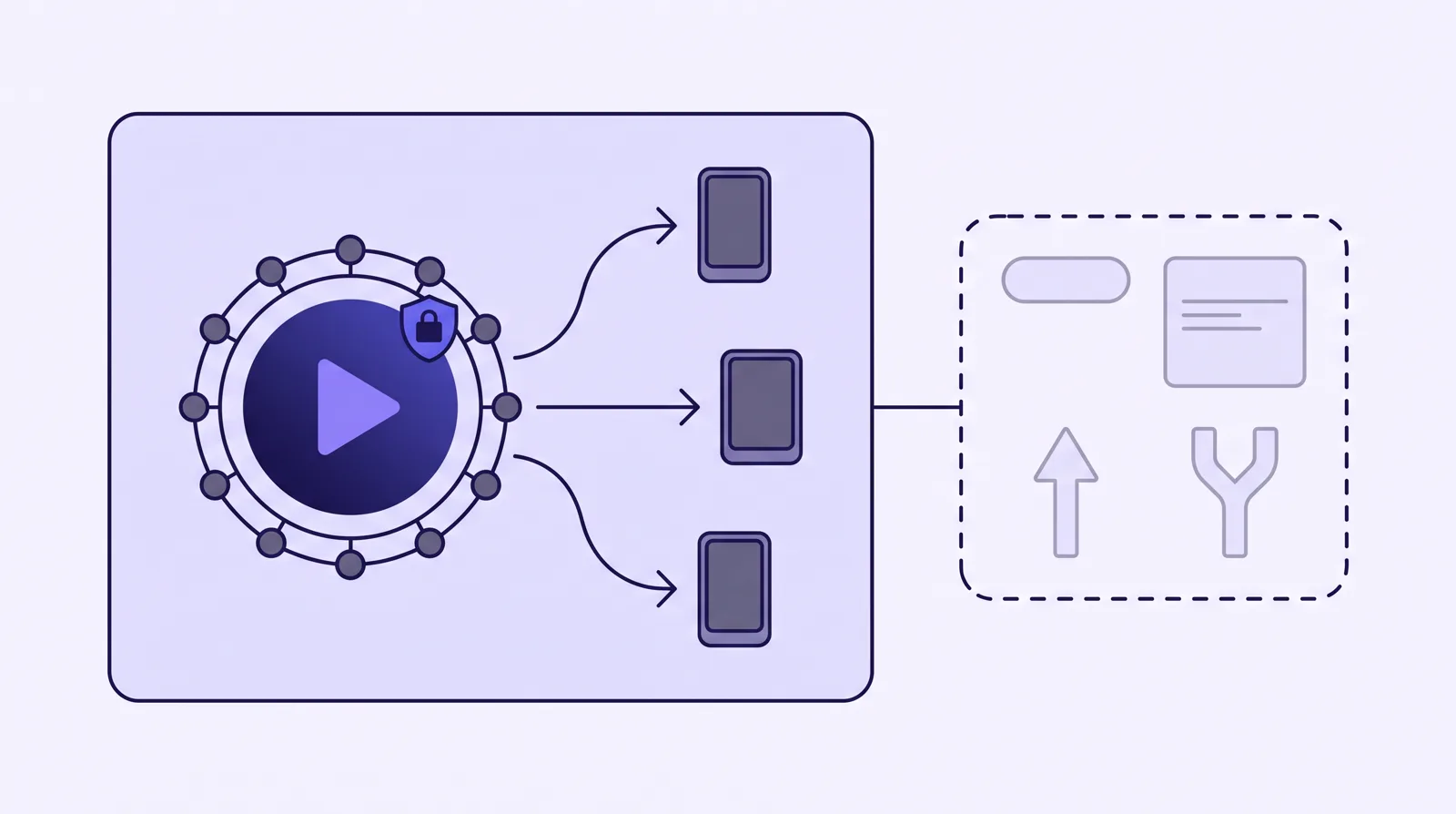
Bunny Stream bundles the pieces of video delivery you would otherwise stitch together yourself: upload, transcoding into multiple resolutions, globally replicated storage, a content delivery network, security, and a hosted player. You upload through a web dashboard or an API, Bunny transcodes and replicates the file across its network, and it serves back an embed or the raw HLS files for a player of your own.
The scale is genuine. Bunny advertises a network backbone above 250 Tbps across 119 points of presence and more than 85,000 customers, and it sells a stack of related products, a CDN, object storage, DNS and more, that Stream sits inside. In practice that network is what the praise is about: reviewers and long-term users single out playback speed and reliability more than any single feature. For the "is it real" question, this is not a weekend project with a logout button. It is an established infrastructure company, and Stream is one of its mature products.
The player and the security
The hosted player is the part a marketer will care about most, and it is good. You can set the colour scheme, add or remove controls, and pick the interface language from more than thirty options, or style the whole thing with your own CSS down to the CDN hostname. It supports video chapters, captions and subtitles, playback speed from 0.5x to 4x, highlight moments, and a retention graph that shows a watch-time heatmap inside the player so a viewer can jump to the popular parts.
Content protection is a real strength, and it is where Bunny out-muscles most general hosts. Media Cage is its DRM system: one click to encrypt a video, prevent downloads, block hotlinking and lock playback to tokenized URLs, with an enterprise multi-DRM tier and per-session watermarking on top. For a course seller worried about piracy, that matters as much as the player does, and it is included rather than sold as a separate line item.
Built for developers
Bunny Stream is API-first and it shows. Uploads use the resumable TUS protocol, there are webhooks for every step of the pipeline, and the documentation ships code examples in the usual languages, so dropping it into a FastAPI, Laravel or Node stack is a short job for anyone who writes code. That is the real audience: engineers who want to own their video stack and pay cents for it.
The flip side is the one non-technical buyers hit first. Reviewers repeatedly call the documentation thin and the dashboard unfriendly to beginners. There is no WordPress-native, point-and-click path that turns Bunny into a YouTube replacement in an afternoon. If the words TUS, HLS and webhook mean nothing to you, that is a signal, not a nitpick.
The part that decides it for a VSL: attribution
Here is where a sales-video buyer has to slow down. Bunny Stream has a retention graph, but it is a viewer-facing heatmap, not a marketer's analytics dashboard. It will not split retention by buyers versus non-buyers, it will not show you revenue per play, and it does not fire a conversion pixel or post a cart-verified sale back to Meta, TikTok or GA4. There is no sound-first autoplay that restarts on unmute, no timed in-video CTA or lead gate, and no built-in split testing decided on sales.
None of that is a defect, because Bunny never claims to be a VSL player. But it means the entire conversion layer that a dedicated host gives you out of the box is yours to assemble, using Bunny's API, webhooks and raw HLS files piped into your own analytics. If you have a developer, that is a feature: you own the stack and the bill is tiny. If you do not, it is the reason Bunny Stream is the wrong first host for a sales video.
Bunny Stream delivers and protects the video. The conversion and attribution layer a VSL needs is yours to build over its API.
What it costs
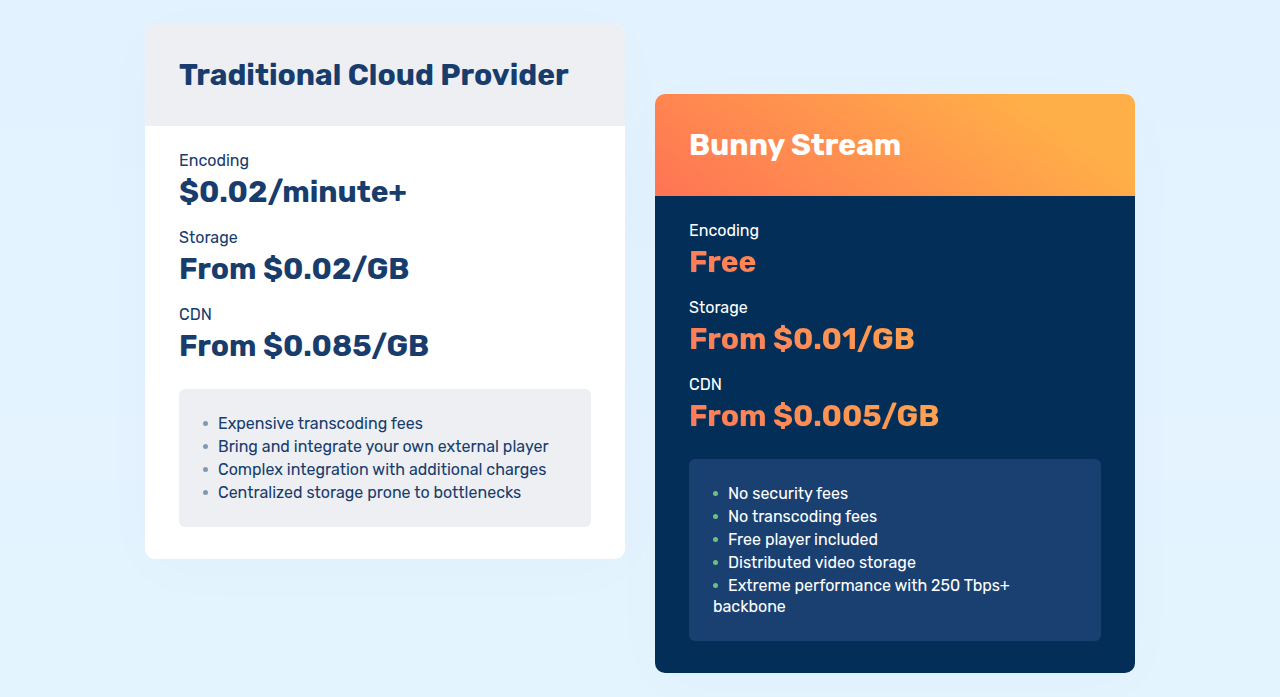
Bunny Stream does not sell plans. It bills on usage, pay as you go, with a one dollar monthly minimum and every feature included at every level. Encoding and the player are free. You pay for storage and for delivery.
Encoding
Free
Hosted player
Free, included
Storage
From $0.01 / GB / month
Delivery
From $0.005 / GB
Monthly minimum
$1
Free trial
14 days, no card
Delivery is cheapest on Bunny's volume network at $0.005/GB and runs to about $0.01/GB on the standard 119-location network in Europe and North America, with higher rates in some other regions. Premium encoding for higher-quality codecs is a paid add-on on top of the free standard encoding.
The vendor's own calculator puts a 300 GB library with 50 GB of monthly traffic at about $4.50 a month on the standard network, or $3.25 on the volume tier. For low volume that is close to free. The number to watch for a VSL is delivery, because you pay per gigabyte served: a long, high-resolution sales video on heavy cold traffic moves the bill in a way a short explainer never will. Model your own traffic before you assume it is cheap, the same as you would with any per-gigabyte host. One 2026 cost review put Bunny at roughly one-eighth of CloudFront's list price, which is the ballpark most comparisons land in.
What long-term users report
The consensus is positive on value and speed. One scored review put Bunny Stream at 80 out of 100 overall, with a 96 for price and value, and Trustpilot reviewers describe it as "completely reliable, very affordable, and delivers exceptionally smooth streaming". On a Hacker News thread about dropping Cloudflare, one developer reported using Bunny "as a Cloudflare replacement for a couple of years" with a "flawless experience".
The criticism is consistent too, and worth taking seriously. On the same thread another user said they "had severe issues with Bunny", with some of their own users "unable to reach the CDN at all", and found support "too slow and unhelpful" before migrating off. G2 reviewers flag "poor documentation" and a dashboard that is cumbersome for beginners. Bunny's automated anti-fraud can also suspend an account, which its own documentation confirms can happen without prior notice. Most customers never hit any of this, but the failure mode when they do is a video that will not load, so it belongs in your decision rather than in the footnotes.
Who should buy it, and who should not
Buy Bunny Stream if you are technical, you want cheap, fast, protected delivery, and you are happy to wire the conversion and attribution layer yourself, or if your video's job is to host a course or a content library rather than to sell to cold traffic. Skip it if you are a non-technical offer owner who needs a player that autoplays, gates and attributes the sale on day one. For that a purpose-built VSL host will cost more each month and save you a build you may not want to own.
Changelog
3 October 2026: First published. Pricing, player and security facts read from bunny.net and verified with the vendor. User sentiment drawn from G2, Trustpilot, Hacker News and LowEndTalk.
What works
Cheap and fast. It bills on usage with a $1 monthly minimum: encoding and the player are free, storage runs $0.01/GB and delivery $0.005/GB, served off a 250 Tbps-plus network across 119 locations. Reviewers and long-term users single out value and playback speed above everything else.
A capable player and real content protection. You can restyle the player with your own CSS, add chapters, captions, adjustable speed and a watch-time retention graph, and lock videos down with Media Cage multi-DRM, token authentication, watermarking and hotlinking protection.
Built for developers. It is API-first, with resumable TUS uploads, webhooks and clear code examples, so it drops cleanly into an existing stack and you own the whole delivery layer.
What to watch
It has no VSL conversion layer. There is no sound-first autoplay that restarts on unmute, no timed in-video CTAs or lead capture, no split testing and no sale attribution, so everything that makes a sales video convert is yours to build on top of Bunny's API.
Reliability and support are the recurring risk. Most users call it reliable, but a minority report outages where assets would not load and slow, unhelpful support, and its automated anti-fraud can suspend an account without notice. The failure mode when it goes wrong is your video not loading.
It is a developer tool, not a turnkey one. Non-technical buyers hit poor documentation and a dashboard built for engineers, with no point-and-click, WordPress-native setup.
How Bunny Stream compares
Bunny Stream is infrastructure, so its real peers are the other general hosts, not the dedicated conversion players. The closest of all is Cloudflare Stream, the other developer-grade delivery platform that bills on usage and leaves the conversion layer to you. Vimeo is the closest match on job, a general host rather than a VSL tool, though Bunny is far cheaper and harder to use. Adilo overlaps on cheap, unlimited-feeling delivery but adds an in-video marketing layer Bunny leaves you to build, and Wistia is the more polished, better-supported platform if your video's job is B2B content rather than cold-traffic selling. For the side-by-side against a turnkey sales host, Panda Video vs Bunny Stream weighs Bunny's cheap, fast delivery against a finished VSL player with anti-piracy built in, and Vidalytics vs Bunny Stream does the same against a proven direct-response player with the deepest conversion analytics of the pair. If you need the conversion and attribution layer out of the box, our Bunny Stream alternatives rank every option on what selling to paid traffic actually needs, and the full ranking of video hosting for VSLs and the head-to-head comparisons are there if you are choosing from scratch.
Usage-based Stream pricing.
Bunny Stream's pricing comparison: encoding free, storage from $0.01/GB and CDN from $0.005/GB, set against a traditional cloud provider at $0.02/minute encoding, $0.02/GB storage and $0.085/GB CDN.
Screenshot: bunny.net,
What users actually say about Bunny Stream
Research: unverified
Cheap, fast delivery is the real draw↑ frequently praised
The consistent praise is price and speed: a usage-based bill a fraction of the big clouds, a 250 Tbps backbone, and smooth playback. Review scores and long-term users single out value and performance over everything else.
“scores Bunny Stream 80/100 overall, with standout marks for price/value (96/100), performance (82/100), and developer UX (82/100)”
Built for developers, not for non technical marketers
It is an API-first, developer-grade platform. Technical teams find it clean to integrate; non-technical buyers hit poor documentation, a beginner-unfriendly dashboard, and no turnkey WordPress-style setup.
“less comfortable if you want a polished WordPress-native YouTube replacement”
Reliability and support are the recurring risk↓ common complaint
A minority report outages where assets would not load and slow, unhelpful support, with some migrating off. Account suspensions from automated anti-fraud are a known edge case. Most users report it reliable, but the failure mode when it goes wrong is severe.
“poor documentation, a cumbersome interface for beginners, and slower performance than Cloudflare in some regions”
“had severe issues with Bunny ... some of our users were unable to reach the CDN at all and could not load any assets ... customer service too slow and unhelpful”
Bunny Stream starts at $1/mo minimum. It bills on a Usage-based model. Prices last checked September 2026.
Does Bunny Stream have a free plan?
14-day trial, no card.
Who is Bunny Stream best for?
Bunny Stream is the pick if you have a developer and want cheap, fast, protected video delivery, and you are willing to build the VSL conversion layer yourself. It is not a sales-video player out of the box.
Mara edits the reviews and roundups on VSL Host Report. She looks at how a video player behaves on cold paid traffic: autoplay and unmute behaviour, per-second retention, timed CTAs, lead gates and load speed. She also maps what each host really costs, whether it bills per play, per gigabyte or per seat, and rebuilds the monthly bill for a typical VSL funnel. For each piece she reads long-term user reports across forums and review sites, works through the vendor's own docs and pricing, and confirms the numbers before a verdict goes live.