Video sales letter examples: what the player does
Two public pages, and the mute, bar and button settings a host has to match before the layout is worth copying.
Someone sent you a video sales letter example. The page is a headline, a player and a button. What you can copy into your own host is how that player is set.
The short answer
A video sales letter example is a live sales page plus three player settings: whether it starts muted, how the bar moves, and when the button shows. Copy the layout from a public walkthrough, then match those three settings in the host you use.
What a sample video sales letter is
Someone looking for a sample video sales letter wants a page they can open and study. A video sales letter sample is the same kind of page. The script, with its minute markers, is in the guide to the six timed blocks. Our guide explains what a video sales letter is.
The public pages fall into three shapes.
- Player only. Prime Mover's watch page, further down, is the video and a sound control.
- A headline, proof, then a button that waits. Tony's Acoustic Challenge is the case written up below.
- Video first. involve.me's VSL template removes the navigation and any second button, so the viewer stays on the video.
The offers belong to the people running them. The notes below are about the players.
Tony's class: the button arrives late
Sales Funnel Examples records a free guitar class. The headline is "Learn the 3 Secrets to Stop Dabbling and Start Playing Guitar." Below it, a 53-minute Vidalytics video autoplays with the sound off, behind a "Click to Unmute" control. Testimonials sit below the player. The address was collected before this page, so the page skips the email form.
At 43:40 that testimonial row is replaced by an orange button that says "Start Playing Guitar." For a class this long, the ask comes during the close. That close is the offer and the call to action, the last two blocks in the script template.
Vidalytics ties those buttons to playback time. If a viewer pauses, rewinds or skips, the button still shows at the same point in the video, because the trigger follows the file and ignores how long the tab has been open. The Vidalytics review covers the rest of the player.
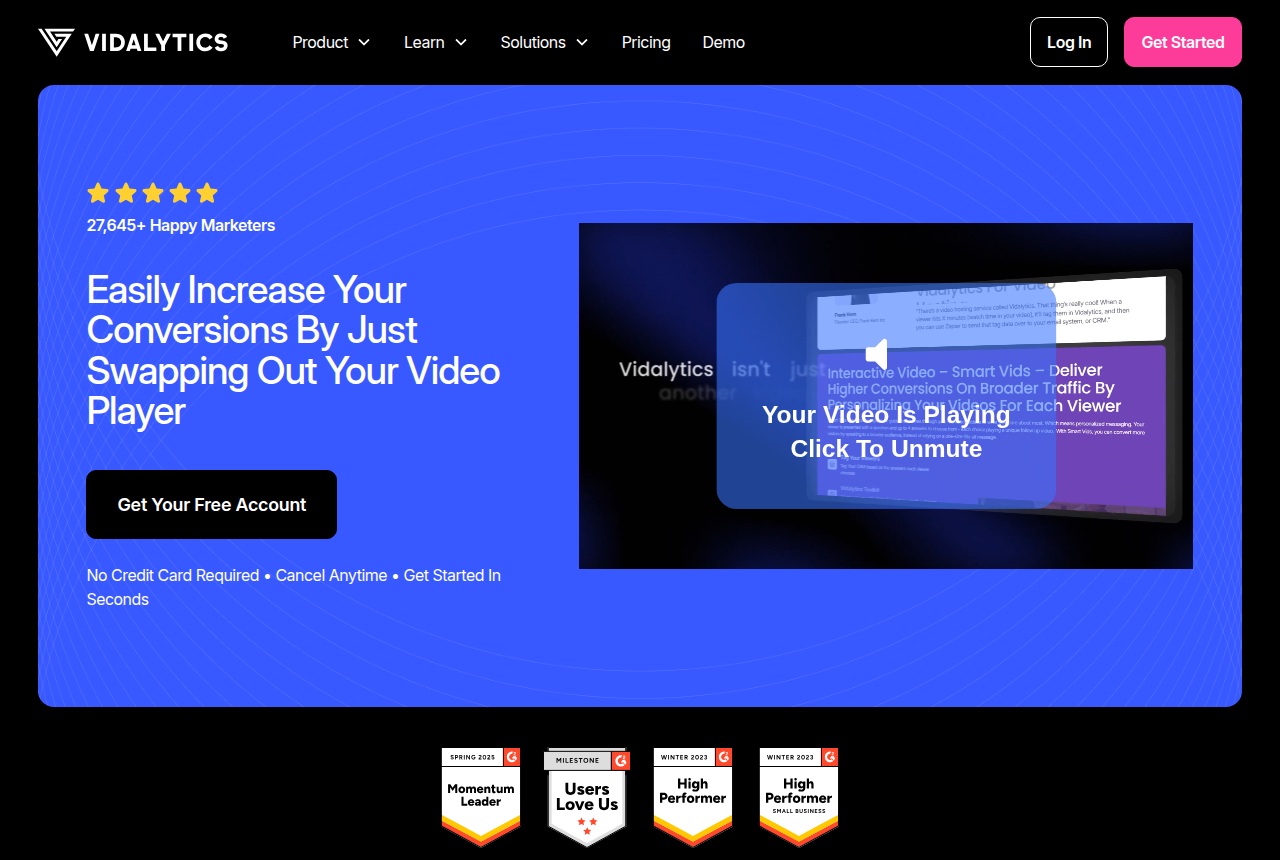
Sales Funnel Examples documented the funnel as it was when they captured it. The live class page may have changed the button or the headline since then.
Prime Mover: a player and a sound control
The same record describes primemover.com/pmvsl-watch as a 21:40 video with an "Enable sound" control. Around the player there is no headline, no body copy and no button.
The offer has to play inside the video, or appear as an overlay on the player. The record never names the timestamp when an offer appears in the video.
Autoplay: muted, or sound if the browser allows it
People worry about a page that plays audio the moment it loads. Browsers are why most sales videos open silent. Mozilla's autoplay guide says the block does not apply when the media has no audio track, or when that track is muted.
On a Reddit thread about landing-page video, marketers state the practical rule: if you want autoplay, the video has to be muted, because browsers block sound until the visitor interacts.
Vidalytics restarts from the first frame when someone clicks a muted autoplay, and turns the sound on. The silent seconds already played are dropped.
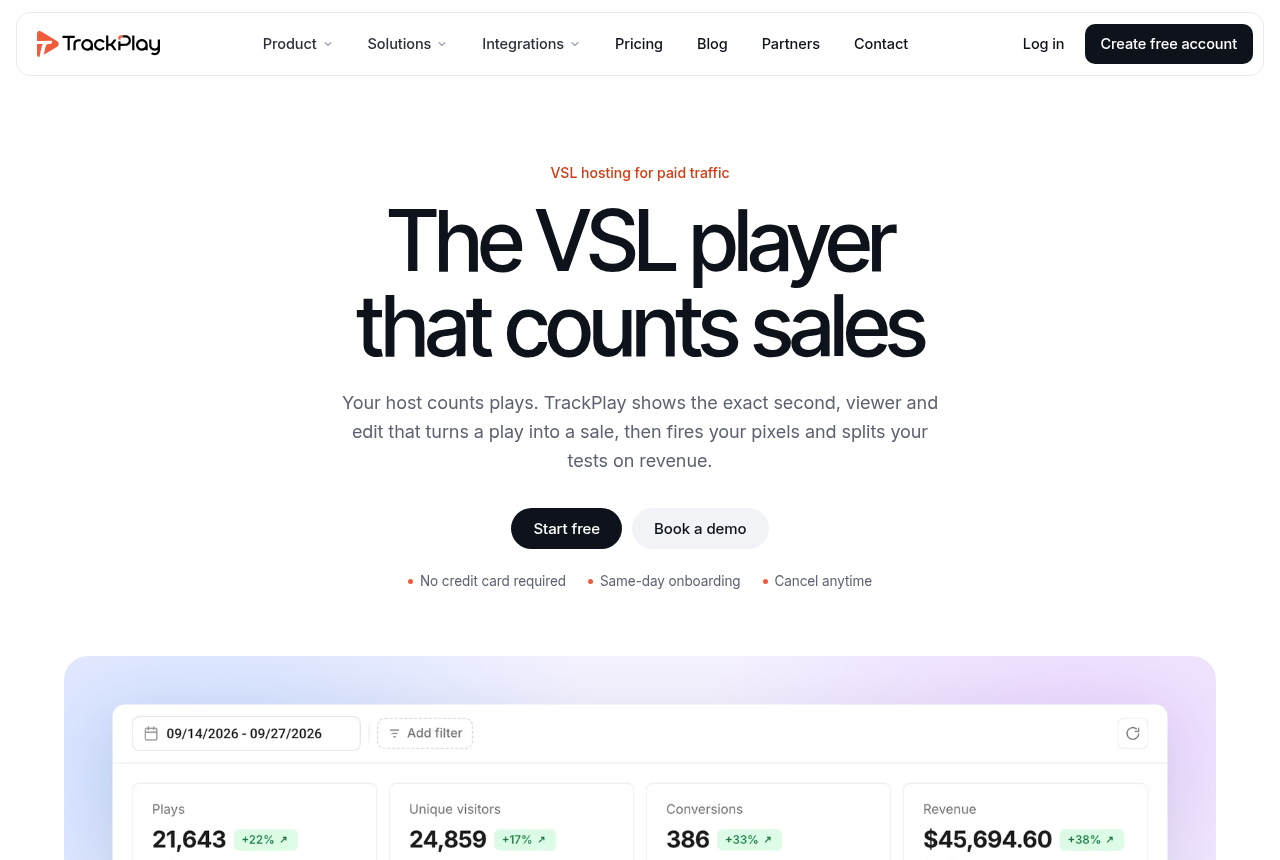
TrackPlay tries sound first. It starts muted only where the browser blocks sound, and it turns the sound on at the first touch. Those pages describe a player for paid-traffic sales videos. It has few outside reviews yet, which is what you would expect of a platform this new. The TrackPlay review covers this in more detail.
The bar runs ahead, then eases off
A long class can feel short during the opening minutes when the bar is simulated. Vidalytics describes its Rapid Engage Bar as a simulated seeking bar that starts fast, so the video seems shorter at the beginning, then slows toward the real speed of the file.
TrackPlay's Smart Progress Bar fills quickly during the opening minutes, while a viewer decides whether to keep watching. It slows once the pitch is underway.
That class holds its button until late in the video. How fast the bar moves is a separate setting from that moment. Both vendors say the fast start makes the opening feel shorter while someone is still choosing to stay.
The button waits, and the scrub bar can hide
In Tony's class, the orange button replaces the testimonials at the timestamp above. Because Vidalytics follows playback, the button still lines up with the pitch if the viewer pauses. In the script template, button timing is planned after the opening is written.
TrackPlay's timed buttons appear when the pitch starts. The same page says to hide the scrub bar, so a viewer cannot drag ahead to the button. Viewers reach it by letting the video play.
Viewers notice that choice from the outside. On a Reddit thread about video tactics, people say sellers often hide the length and block rewind and skip.
| Setup | On load | Bar | Button | Scrub |
|---|---|---|---|---|
| Tony's class | Muted, click to unmute | Not recorded | Replaces the testimonials | Left unstated |
| Vidalytics | Click restarts, then sound | Fast, then closer to real time | Follows the playhead | Not in these notes |
| TrackPlay | Sound first, mute if blocked | Fast early, then eases | Shows with the pitch | Can be hidden |
Match the host to the page you like
A button that appears at a set time, and a scrub bar you can hide, are features the host has to offer. YouTube and a plain file host will play the video. Those two features are why Tony's page uses a sales player.
Use the calculator to price the same traffic. The budget hosting guide breaks the bill into plays, bandwidth or minutes. If you host videos for clients, the agency guide shows how to give each funnel its own workspace.
My take
Before copying a headline from a video sales letter sample, I'd check when the button appears. I'd judge the example by whether my host can show a button at that same moment. That class holds its button until the pitch. The other page keeps the offer inside the video, with nothing to click around the player. Copy the headline and ignore that timing, and you publish a different page.
The notes above come from Sales Funnel Examples and from each host's feature pages. Our methodology page explains the full process: vendor docs, pricing pages and long-term user reports. We do not run the tools on live campaigns.
Sources
- Sales Funnel Examples: VSL examples
- involve.me: VSL landing page template
- MDN: autoplay guide
- r/marketing: why landing-page videos are muted
- r/marketing: hiding length and skip
- Vidalytics: features
- Vidalytics: smart autoplay
- TrackPlay: timed CTAs
- TrackPlay: smart progress bar
- TrackPlay: conversion engine
Related reading
- Video sales letter: what it is, how it sells, where to host it
- Video sales letter script template: six timed blocks
- VSL hosting cost calculator: what one sales video costs on each host
- Cheap VSL hosting: bandwidth, plays or minutes
- Agencies: keep each client funnel in its own workspace
- Vidalytics review
- TrackPlay review
- VSL guides on the best-of hub
Changes to this page
- 14 October 2026: first published.

Written by
Mara Vance
Editor
Mara edits the reviews and roundups on VSL Host Report. She checks autoplay, watch time, timed buttons, lead gates and page speed when the visitor is new and the traffic is paid. She also maps what each host really costs, whether it bills per play, per gigabyte or per seat, and rebuilds the monthly bill for a typical VSL funnel. For each piece she reads long-term user reports across forums and review sites, works through the vendor's own docs and pricing, and confirms the numbers before a verdict goes live.
Last checked 2026-10-14
Comments
No comments yet. Questions and your own experience are welcome.
Thank you. Your comment will appear once it has been reviewed.